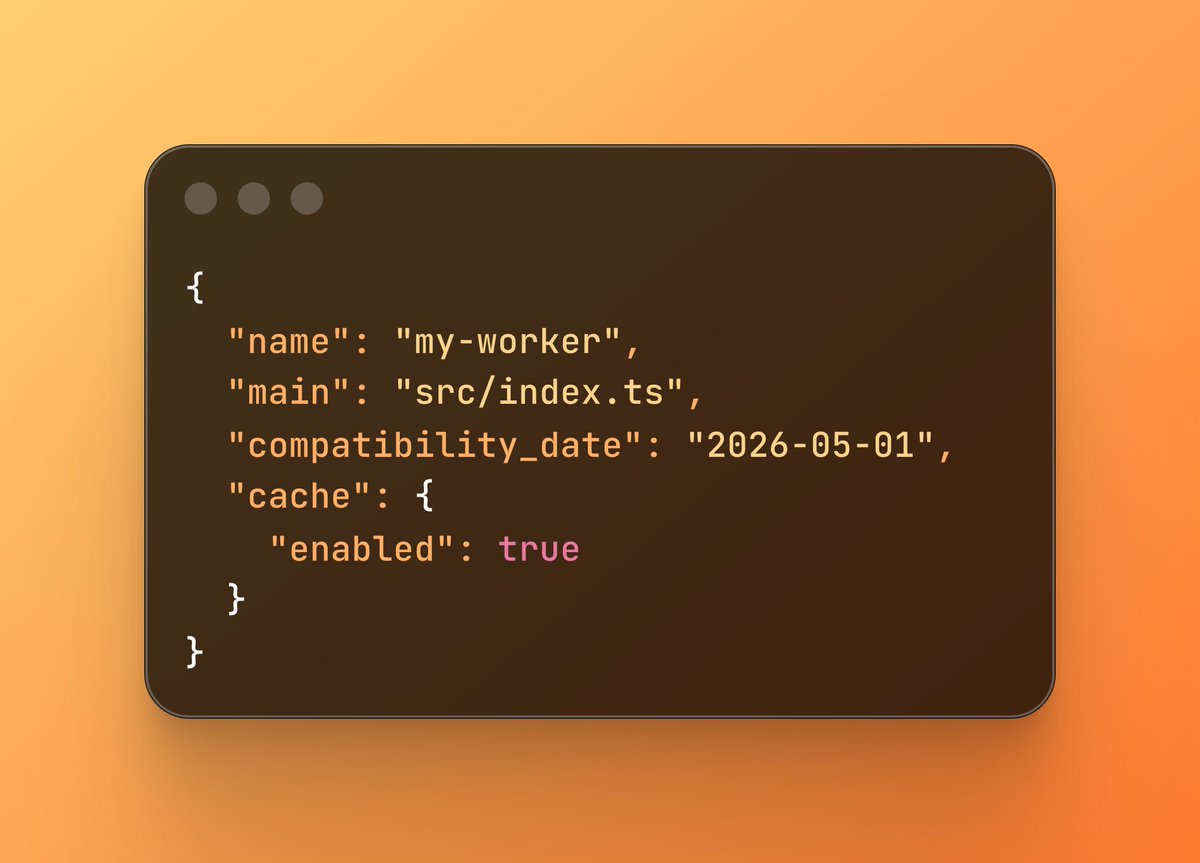
*Cloudlfare Workers cache setting from X.com*
Cloudflare has shipped a new caching layer that sits directly in front of individual Workers — not the zone-wide cache you're used to configuring through dashboards and page rules, but a cache scoped to your Worker itself. It's a small-sounding feature with fairly large implications for how you build on Workers. Here's what it is, why it exists now, and how to actually use it.
The problem it's solving
For most of Workers' history, the mental model was simple: Workers sat *in front of* an origin. You'd intercept a request, maybe do some logic, and forward it on — or serve something cached from Cloudflare's edge network. The Worker itself was rarely the expensive part of the request.
That's changed. Full-stack frameworks — Astro, Next.js, Remix, SvelteKit — now ship first-class Cloudflare adapters, and in that world the Worker *is* the origin. It's doing server-side rendering, hitting databases, calling APIs, assembling HTML on every single request. There was nothing sitting between the visitor and that expensive work, because the traditional cache model assumed a Worker was a thin routing layer, not the thing doing the rendering.
Workers Cache flips that assumption. Now the cache can sit in front of the Worker itself, not just in front of whatever the Worker used to proxy to.
Turning it on
The setup is deliberately minimal. Enable it in your Wrangler config:
{
  "cache": {
    "enabled": true
  }
}
This is a Worker-scoped cache, not your zone's cache. It's a separate mechanism from the zone-wide caching you configure through the dashboard, Page Rules, or Cache Rules — those don't apply here, and this doesn't touch them. Oncecache.enabledistrue, the *only* thing that controls caching behavior is theCache-Controlheader your Worker sets on theResponseit returns. There's no dashboard toggle, no rule to write, no zone-level setting that overrides or interacts with it — the header in your code is the entire configuration surface.
From there, you don't learn a new caching DSL — you just set Cache-Control on your Response object the way you always have with HTTP. To make a cached response purgeable later, tag it on the way out with a Cache-Tag header:
return new Response(body, {
  headers: {
    "Cache-Control": "public, max-age=300, stale-while-revalidate=3600",
    "Cache-Tag": "products,product:123",
  },
});
Then, when that product changes, purge everything carrying that tag with a single call:
await ctx.cache.purge({ tags: ["product:123"] });Tag first, purge later — the tag is what makes the purge targeted instead of clearing the whole cache. That's close to the entire surface area. No separate cache product, no rules engine to learn, no dashboard configuration required to get started.
Checking it's actually working
Don't just trust that caching is happening — verify it. Every response carries a Cf-Cache-Status header telling you exactly what happened on that request:
curl -sI https://your-worker.example.com/api/dashboard | grep -i cf-cache-statusThe values you'll actually see:
- `HIT` — served straight from cache, your Worker never ran.
- `MISS` — nothing cached for this key yet; your Worker ran and the response is now stored.
- `EXPIRED` — the cached entry's TTL passed, so it was treated as a miss and refreshed.
- `UPDATING` — this is the one to watch for: the cached entry expired, and
stale-while-revalidateserved it immediately anyway while a fresh copy was fetched in the background. If you're testingstale-while-revalidate, this is the status that proves it's working — every request during the revalidation window getsUPDATING(orHITonce the refresh lands) instead of waiting on the origin. - `STALE` — different from
UPDATING: this means the cached entry was expired *and* Cloudflare couldn't reach your Worker/origin to refresh it, so it fell back to serving the old copy anyway. - `BYPASS` — caching was skipped for this request entirely, usually because of
Cache-Control: no-store, a method that isn't cacheable (e.g.POST), or an explicit bypass rule. - `DYNAMIC` — the response wasn't eligible for caching at all (no cacheable headers set).
A quick way to sanity-check the whole flow end to end: hit the same URL twice in a row. First request should show MISS, second should show HIT. Then wait past your max-age, hit it again, and you should see UPDATING if stale-while-revalidate is configured, or EXPIRED/MISS if it isn't.
For the multi-tenant example above, it's worth explicitly testing that two different userId values produce two independent MISS → HIT cycles — that's your confirmation the per-user cache key scoping is actually isolating responses correctly, rather than silently collapsing everyone into one shared entry.
Stale-while-revalidate, done right
The detail that actually changes the *feel* of your app is stale-while-revalidate support. When a cached entry expires, Cloudflare doesn't force the next visitor to wait on a fresh render. It serves the stale copy immediately and revalidates in the background. In practice, this means only the very first request after a deploy or cold cache ever pays the full rendering cost — everyone else gets an instant response while the cache quietly catches up.
Cache variants via Vary
Standard HTTP Vary header support means a single URL can have multiple cached representations instead of an all-or-nothing choice. Serve HTML to browsers and JSON to API clients from the same route, or WebP to modern browsers and JPEG as a fallback, or a different cached homepage per locale — all without giving up caching for that route entirely. It's plain HTTP content negotiation, not a Cloudflare-specific workaround bolted on top.
The multi-tenant unlock: ctx.props in the cache key
This is the part I think is genuinely clever, and it's worth walking through slowly because "the cache key includes ctx.props" doesn't mean much until you see it in a request flow.
Normally, if you cache a response keyed only by URL, every visitor to /api/dashboard gets the *same* cached response back — which is exactly why caching anything behind auth has traditionally been off-limits. There's no way to tell "this cached copy belongs to user A" from "this cached copy belongs to user B" if the cache key is just the URL.
ctx.props fixes that by letting you attach request-specific context — a userId, a tenant ID, a permissions scope, whatever identifies *who this response is for* — to the call, and Cloudflare folds that into the cache key automatically. You don't build the key yourself; you just pass the props.
Here's what that looks like in practice, with a front-facing Worker calling a backend entrypoint over a service binding:
// Front-facing Worker — receives the request, knows who the user is
export default {
  async fetch(request, env, ctx) {
    const userId = await getUserIdFromSession(request); // your own auth logic

    // Call the backend entrypoint, passing userId as part of ctx.props
    const response = await env.API_SERVICE.fetch(request, {
      props: { userId },
    });

    return response;
  },
};
// Backend entrypoint — this is the one whose responses get cached
export class ApiEntrypoint extends WorkerEntrypoint {
async fetch(request) {
// ctx.props.userId is now part of the cache key for this call,
// so this response is only ever served back to the same user.
const dashboardData = await buildDashboardFor(this.ctx.props.userId);
return new Response(JSON.stringify(dashboardData), {
headers: {
"Content-Type": "application/json",
"Cache-Control": "private, max-age=60",
"Cache-Tag": `user:${this.ctx.props.userId}`,
},
});
},
}Two things happen here that matter:
- The cache key is scoped per-user automatically. User A's request and user B's request hit the same URL and the same code path, but because
ctx.props.userIddiffers, they land in different cache entries. There's no manual key-building, no risk of accidentally sharing a cached response across users because someone forgot to salt the cache key. - You can still purge precisely. Tagging the response with something like
user:${userId}(as shown above) means that if that user's underlying data changes — they update their profile, place an order, whatever — you can purge just their cached entries withctx.cache.purge({ tags: ["user:abc123"] })without touching anyone else's cache.
The practical shift: instead of the default being "auth means no caching," the default becomes "auth means caching scoped correctly by default." For something like a dashboard, a personalized feed, or a per-tenant settings page — data that's expensive to compute but identical on every repeat visit from the *same* user — this turns previously uncacheable routes into cacheable ones, without exposing anyone else's data.
One caveat worth flagging: this pattern requires the request to actually go through a service binding to another entrypoint — it's not something you get "for free" on a single Worker with no internal service calls. If your app is a single Worker handling everything inline, you'd need to structure the cacheable part as its own entrypoint to take advantage of this.
Caching between entrypoints, not just at the edge
The biggest structural change, in my opinion, is that this cache sits in front of *every* entrypoint — including calls between entrypoints in the same Worker via ctx.exports. That opens up a pattern where you decompose a request pipeline into discrete entrypoints — authentication, routing, the expensive backend call — and place caching precisely at the boundary where it earns its keep, entirely in code rather than through infrastructure configuration.
If you're already composing multiple Workers or service bindings together (multi-agent systems, internal APIs, backend-for-frontend patterns), this is the piece worth paying closest attention to.
Regional tiering, for free
Caching is regionally tiered by default, with no extra configuration. The first request from anywhere in the world populates an upper tier, so a request from Singapore can be served from a cache entry that was originally populated by a visitor in the US, without the Worker ever executing again. This composes cleanly with Smart Placement if you're already using it to run Workers closer to your data.
What it costs
A cache hit still counts as a standard request, but costs zero CPU time. Misses and bypasses bill the way they always have — there's no separate cache SKU and no per-GB storage fee to budget for. One thing worth flagging if you're doing capacity planning: static asset requests and worker-to-worker calls now count as billable requests once caching is enabled, which is a small but real shift if you're used to reasoning about those as "free."
Getting started
If you're already on a Cloudflare Workers-based stack — including the increasingly common Astro/Next.js/Remix-on-Workers setups — this is close to a free performance win:
- Add
"cache": { "enabled": true }towrangler.jsonc - Set
Cache-Controlheaders on your responses like normal HTTP - Purge with
ctx.cache.purge({ tags: [...] })when content changes - Deploy
No new product to provision, no dashboard rules to write.
It's available today on every plan. Full details are in Cloudflare's original announcement.
My take: this is the biggest shift to Workers developer experience since Smart Placement — it quietly acknowledges that Workers have become full application origins, not just edge middleware, and gives you a caching model that matches that reality.


Discussion